Storyblok
You have successfully started the Storyblok rendering service.
How to start developing?
- Clone the quickstart repo git clone https://github.com/storyblok/quickstart.git
- Create a space in Storyblok and choose advanced settings to choose the option "Hosted/Rendering service" and then "Quickstart"
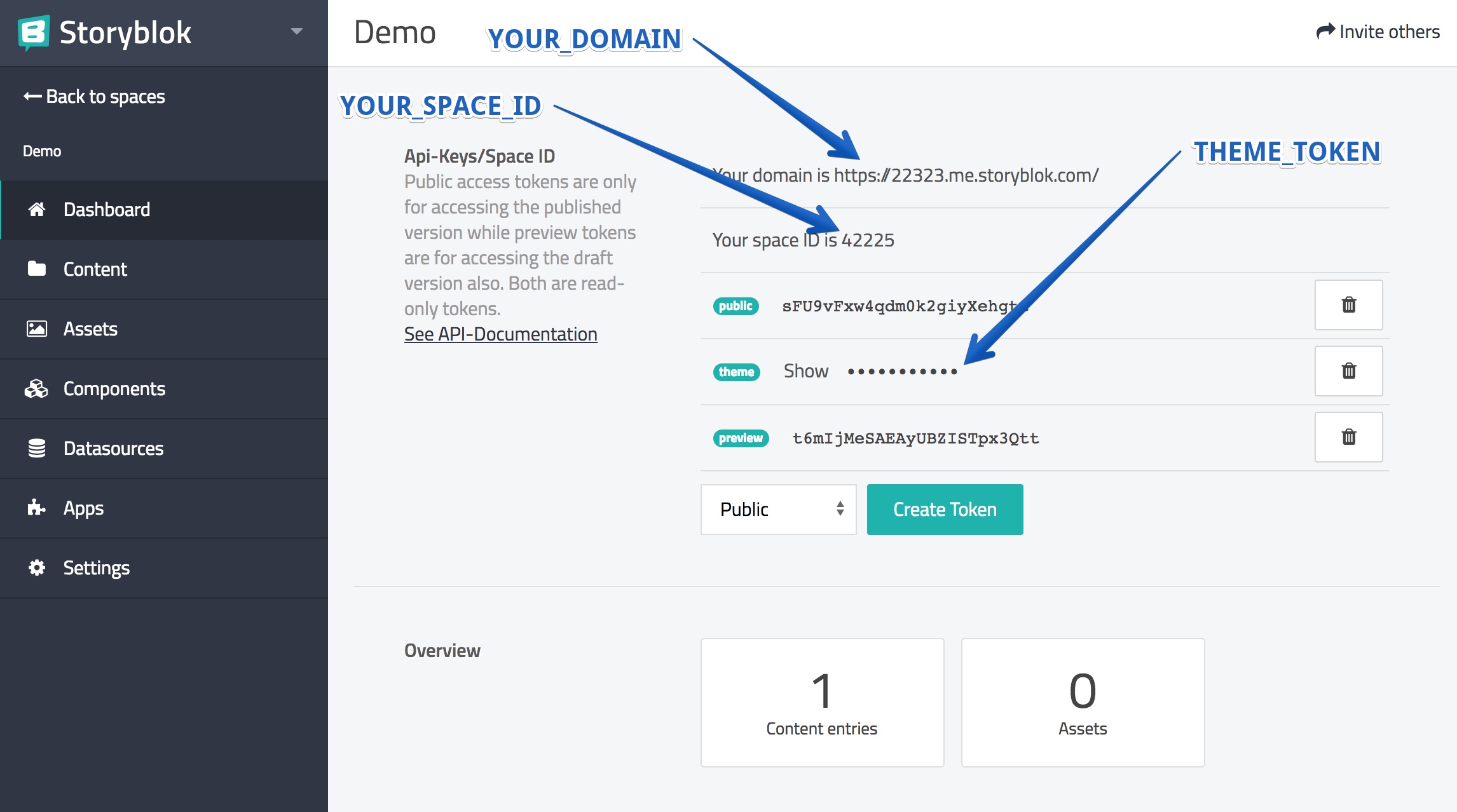
- Fill in the parameters INSERT_SPACE_ID and INSERT_YOUR_DOMAIN config.js which you can find in the Storyblok dashboard
- Rename _token.js to token.js and insert your "theme" token (which you can find in the Storyblok dashboard).
- Restart your server with npm run dev
- Add your dev environment 'http://localhost:4440/' to the environment settings